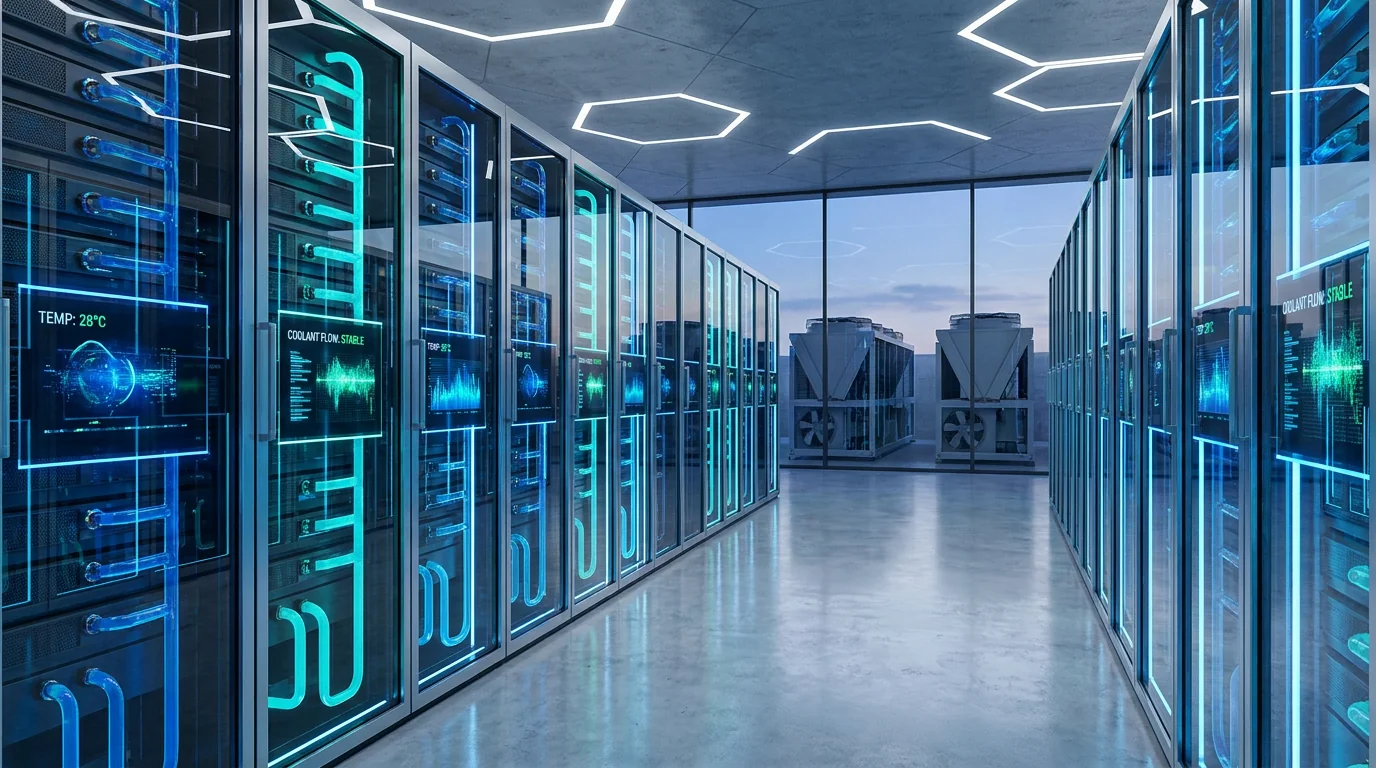
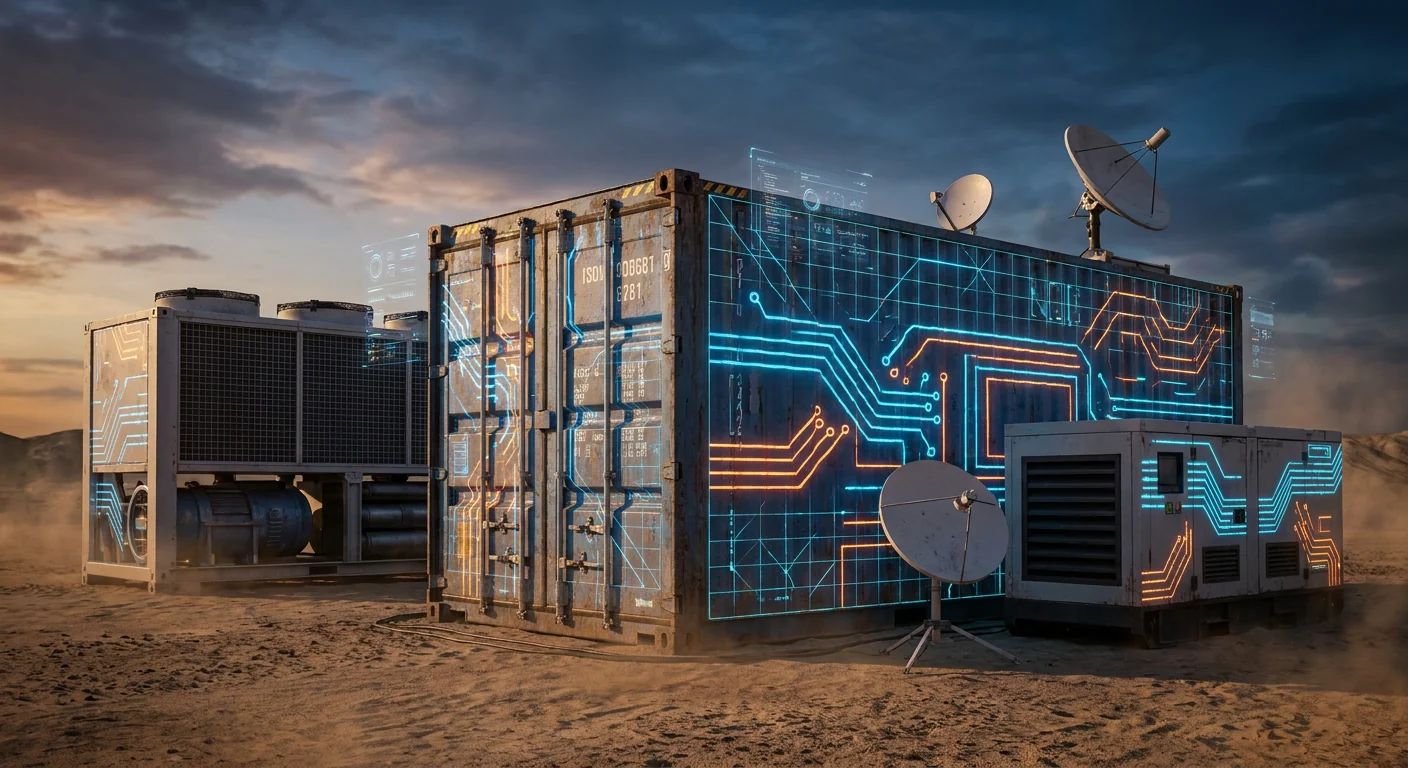
An all‑in‑one smart micro data center is a self-contained, rack‑scale (or cabinet‑scale) enclosure that bundles the minimum data center infrastructure you need to run IT equipment reliably in a small footprint—typically power protection/distribution, dedicated cooling/thermal management, physical security, and remote monitoring/management—with most of the integration done in the factory.
Different vendors describe this category in slightly different ways, but the shared idea is consistent: you’re buying a pre‑integrated system, not “just a rack.” For example, Enconnex defines a micro data center as a small, self‑contained unit that houses IT equipment and supporting infrastructure, often including conditioned power, cooling, and remote monitoring/management capabilities (see Enconnex’s Micro Data Center Use Cases & Definition). Vertiv similarly frames micro data centers as a scaled‑down deployment that incorporates essential data center components—often inside one rack—such as UPS, rack PDU, rack cooling, and monitoring (Vertiv’s “What Is a Micro Data Center?”).
Key Takeaway: Think of an all‑in‑one smart micro data center as a standardized “mini data center kit” in a cabinet—designed to reduce site-by-site design work, integration risk, and on‑site commissioning effort.
All-in-one micro data center: scope and boundaries
Before getting into components and density, it helps to set a clean boundary: an all-in-one micro data center is an integrated system (power + cooling + monitoring + enclosure), not just a rack with accessories.
A precise definition (and a helpful boundary)
Definition: An all‑in‑one smart micro data center is a factory‑integrated cabinet enclosure that combines:
IT space (rack/cabinet for servers, storage, network)
Power chain (distribution + protection, often UPS)
Cooling / heat removal sized for that enclosure
Monitoring & control (sensors + local controller + remote management)
Physical protection (enclosure, locks/access control, optional fire/smoke detection)
Boundary: It’s “all‑in‑one” only if the cabinet includes the infrastructure subsystems, not merely physical rack accessories.
A quick third‑party definition that aligns with this is Sunbird DCIM’s glossary description: a micro data center is a small, self‑contained data center that typically contains hardware plus power, cooling, and connectivity in a compact containment unit (Sunbird DCIM glossary: micro data center definition).
Why this category exists (why “smart” + “all‑in‑one” matters now)
Micro data centers show up when the traditional options are mismatched:
A full server room build-out is too slow or too facility-dependent. Many sites (branch offices, retail back rooms, factories, telecom shelters) don’t have the space, HVAC, or operations model for a mini server room.
A standard rack is too incomplete. A rack alone doesn’t solve thermal control, power quality/ride-through, or remote operations.
Distributed deployments need standardization. If you’re rolling out 10, 50, or 200 edge sites, repeatability matters more than perfection at any single site.
The “smart” part typically signals that the cabinet isn’t just physically integrated; it also provides instrumentation and remote visibility—so distributed sites can be managed with limited local IT staff.
What’s typically pre‑integrated (component-by-component)
In procurement terms, these are the micro data center components that define the category.
The easiest way to understand scope is to treat the cabinet like a small data center with four planes: IT plane, power plane, thermal plane, and management plane.
1) IT plane: the enclosure and IT accommodation
At minimum:
Standard 19″ rack/cabinet space (often 42U class, but varies)
Cable management and airflow aids (blanking panels, sealing brushes)
A design that supports controlled airflow paths (front-to-back or contained)
Where “micro data center” cabinets differ from plain racks is that the enclosure is designed around controlled intake/exhaust and physical protection.
2) Power plane: distribution and protection
A common micro data center power chain includes:
Input feed (single‑phase or three‑phase depending on design)
Distribution (breakers, metering, rack PDUs)
Protection / ride-through (often a rack-mount UPS)
Monitoring (power metering; sometimes outlet-level monitoring)
Vertiv calls out UPS and rPDU as typical micro data center elements in its educational overview (Vertiv’s micro data center component list).
Procurement note (important): “UPS included” can mean very different things (topology, runtime, maintenance bypass, battery chemistry). In procurement terms, it’s worth confirming:
kVA/kW rating and power factor assumptions
runtime at expected load n- bypass/maintenance provisions
battery type and replacement cycle
3) Thermal plane: cooling and heat rejection
In an all‑in‑one cabinet, “cooling” typically includes two parts:
Heat capture & air distribution inside/around the rack (so servers see acceptable inlet temperatures)
Heat rejection (moving the heat out of the cabinet to the surrounding space)
Vendors implement this in multiple ways—self-contained air conditioning modules, in-row variants, or other cabinet‑integrated approaches. In practice, the enclosure and thermal controls are often designed to tolerate less-than-ideal site conditions (for example, limited space or non-dedicated HVAC), but the achievable density still depends on the specific ambient and heat-rejection path.
Why cooling is the hard limiter: At rack scale, almost every “how many kW can it support?” question becomes a heat rejection question. Power can often be delivered with the right feed and protection; removing the heat consistently is what usually constrains density.
4) Management plane: monitoring, alarms, and remote control
“Smart” micro data center cabinets usually include:
Sensors (temperature, humidity; sometimes smoke/leak)
Power monitoring (UPS status, load, alarms)
Door/access status
A local controller or gateway
Remote access (web portal, DCIM/EMS integration, alerts)
Vertiv explicitly highlights that micro data centers often include pre-integrated sensors and software for centralized monitoring and control.
5) Physical security and safety features
Depending on vendor and model, you may see:
Key locks or electronic access control
Door-open alarms
Cameras (less common as “default,” but sometimes offered)
Fire/smoke detection, and in some designs, fire suppression options
For many deployments, physical security is not about “high-security data center” controls—it’s about preventing casual tampering and ensuring you can audit access at remote sites.
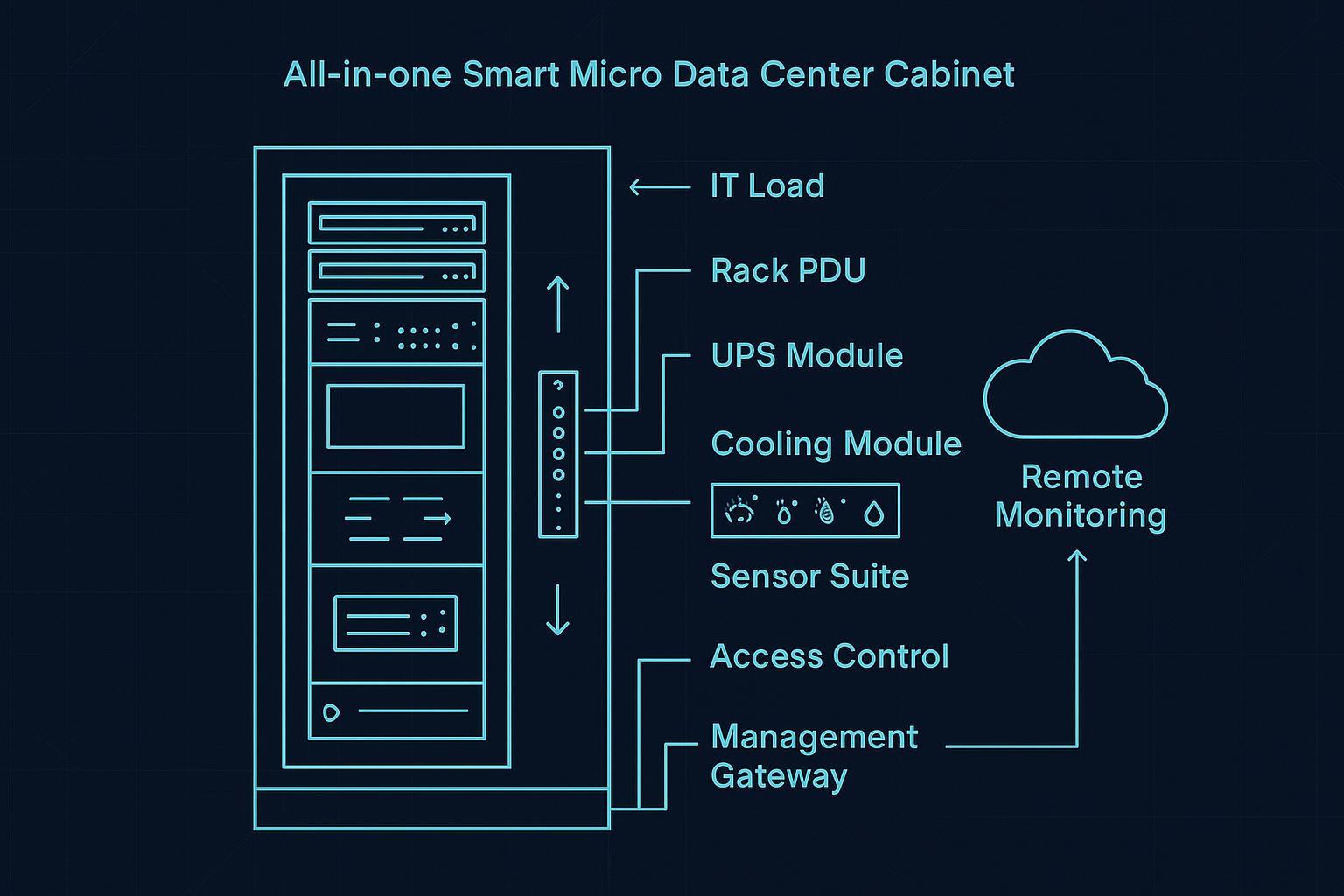
Diagram: what “all‑in‑one” usually looks like
Below is a simplified cabinet architecture diagram. (Vendors package these layers differently; the goal is to show the concept.)
                ┌─────────────────────────────────────┐
                │   All‑in‑One Smart Micro DC Cabinet  │
                ├─────────────────────────────────────┤
IT PLANE        │  Servers / Storage / Network         │
                │  (IT load, typical 19" rack space)   │
                ├─────────────────────────────────────┤
POWER PLANE     │  rPDU(s) + breakers + metering       │
                │  UPS module (optional but common)    │
                ├─────────────────────────────────────┤
THERMAL PLANE   │  Cabinet cooling module(s)           │
                │  Airflow guides / containment        │
                ├─────────────────────────────────────┤
MGMT PLANE      │  Sensors (temp/humidity/smoke/leak)  │
                │  Controller / gateway (DCIM/EMS)     │
                ├─────────────────────────────────────┤
SECURITY        │  Locks / access control / door logs  │
                └─────────────────────────────────────┘

Power flow: Utility/Feed → UPS → rPDU → IT
Heat flow : IT → cabinet air handling → heat rejected to room/outside
Data flow : Cabinet gateway → LAN/WAN → remote monitoring
If you prefer a visual infographic version, here’s a vendor-neutral diagram-style image:
How it differs from a server room (and from “just a rack”)
This confusion is common because the terms overlap in everyday conversation. Here’s a practical way to separate them.
Micro data center cabinet vs traditional server rack
A standard rack provides:
mechanical mounting
cable management
basic physical protection
An all‑in‑one micro data center cabinet adds:
dedicated thermal management (designed, sized, and integrated)
power protection/distribution (often UPS + monitoring)
monitoring and remote operations as a first-class feature
documented, repeatable configuration for multi-site rollouts
Micro data center cabinet vs a server/IT room
A server room is facility-led:
building HVAC and electrical are doing most of the work
security is often room-level
monitoring is usually stitched together after deployment
A micro data center cabinet is product-led:
infrastructure is inside the enclosure
the site often provides only a power feed and network
repeatability and containment are core design goals
ASCII comparison diagram:
Option A: Traditional rack        Option B: Server/IT room        Option C: All‑in‑one micro DC

[rack] + (room HVAC)              [room] with HVAC + power         [cabinet]
(no dedicated cooling)            (built/engineered per site)      (integrated power+cooling+mgmt)

Pros: low cost per rack           Pros: scalable room capacity     Pros: standardized + faster deploy
Cons: depends on room systems     Cons: long lead + build risk     Cons: density limited by heat rejection
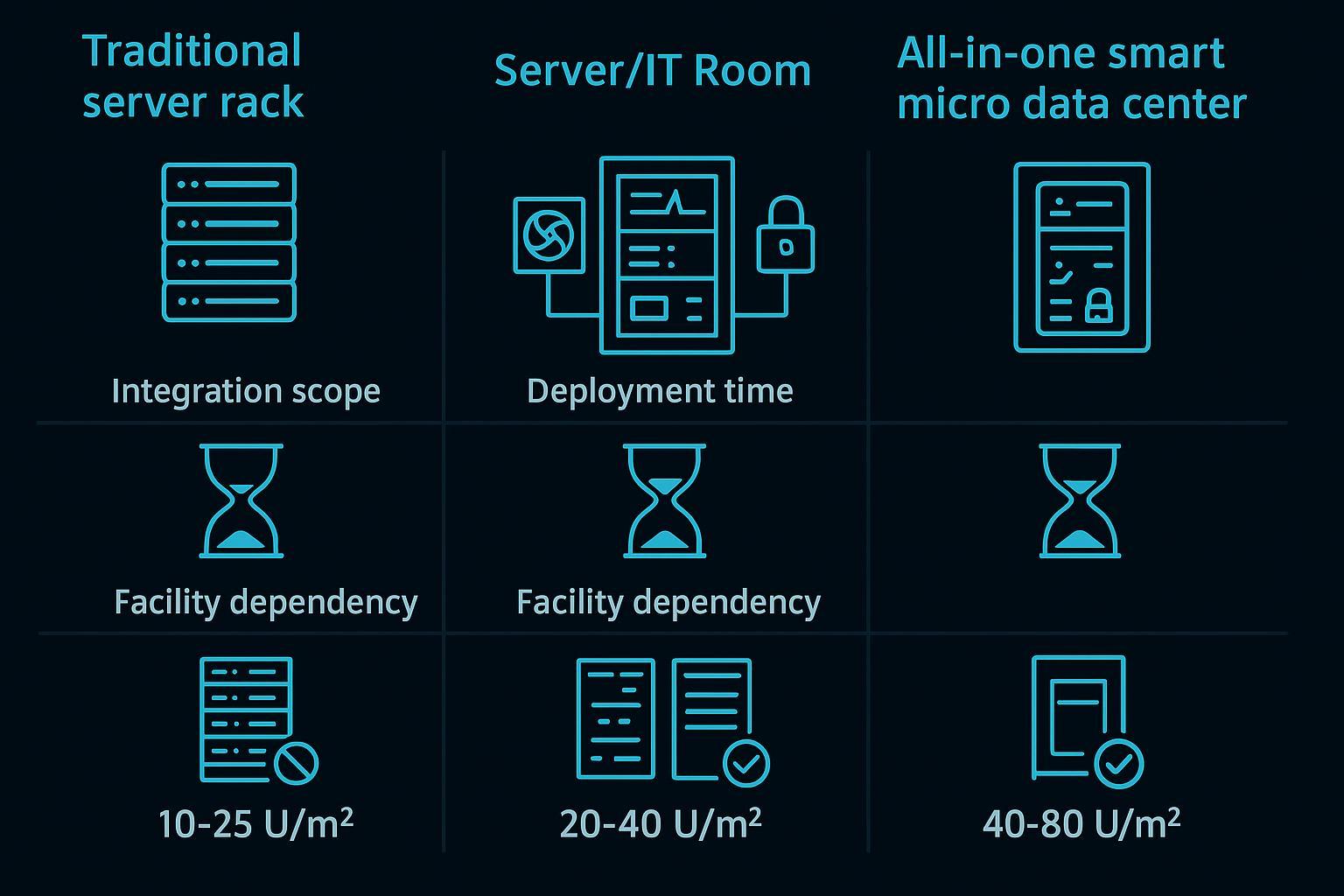
Visual comparison image:
Common use cases (where micro data centers fit well)
Micro data centers are best understood as a deployment pattern: edge and distributed compute, with constraints. Typical use cases include:
Edge sites with limited on-site IT staff
When you need compute close to the workload but can’t support a full data center operations model. The remote monitoring element becomes part of the value, not an add-on.
Industrial / OT-adjacent environments
Schneider Electric explicitly positions micro data centers for industrial edge environments and IT/OT convergence. In these deployments, environmental protection (dust, uncontrolled temperature swings) and cabinet-level controls are often more important than ultra-high density.
Retail, branch, and “back room” deployments
Short on space. Often need a predictable, repeatable cabinet design that can be commissioned quickly.
Telecom and remote infrastructure sites
Small-footprint sites where physical security and remote monitoring matter, and where local maintenance windows can be limited.
Temporary or fast-deploy compute needs
Pop-up sites, project sites, or expansions where a facility build-out is not justified.
Practical density ranges (kW per cabinet): what’s typical vs what needs special engineering
This section answers the most common sizing question: micro data center power density (kW per cabinet) and what actually limits it.
There is no single “official” micro data center density because designs vary (cooling method, heat rejection path, redundancy, ambient conditions). But in practice, many all‑in‑one cabinet deployments cluster in a few workable bands.
Density bands (rule-of-thumb, not a guarantee)
Density band (IT load) | Where it’s common | What usually limits you |
|---|---|---|
3–5 kW per cabinet | light edge, network-heavy sites | power availability is easy; cooling is rarely stressed |
5–10 kW per cabinet | many typical micro DC deployments | heat rejection and airflow management become central |
10–15 kW per cabinet | high end for self-contained air solutions | thermal design margins, redundancy, ambient constraints |
>15 kW per cabinet | selective cases | typically requires enhanced heat rejection and tighter site constraints; may push toward liquid cooling or facility support |
Vertiv’s educational overview notes micro data centers are a scaled-down deployment and typically include rack cooling with integrated heat rejection—highlighting that heat rejection is part of the integrated system design.
⚠️ Warning: Above ~10 kW per cabinet, it’s rarely “just add more servers.” You’re usually re‑engineering airflow, heat rejection, redundancy, and sometimes the site’s electrical feed.
Here’s a visual density-band infographic for quick orientation:

What determines the ceiling in real deployments
If you’re scoping density for a customer, these are the constraints that tend to decide what is realistic.
1) Heat rejection path
Where does the heat go?
Into the surrounding room (and the room HVAC must absorb it)
Through a cabinet-integrated exchanger or condenser approach
Into a dedicated exhaust path
If the site is already warm, dusty, or poorly ventilated, the practical density ceiling drops.
2) IT airflow compatibility
Servers expect certain inlet temperature and pressure conditions. A cabinet cooling approach must match:
front-to-back IT airflow assumptions
blanking/sealing strategy
cable cutouts and bypass leakage
3) Power feed and electrical constraints
Even if the cabinet ships with a UPS, the site must provide an adequate feed. For procurement and design reviews, confirm:
voltage and phase requirements
upstream breaker sizing and selectivity
grounding/earthing requirements
whether A/B feed is required or supported
4) Redundancy expectations
“Built-in UPS” and “integrated cooling” may be single-string unless explicitly redundant. For high-availability sites, confirm whether power and cooling are N, N+1, or 2N (and how failover behaves).
5) Environmental assumptions
Industrial edge deployments often care about:
dust ingress protection (NEMA/IP)
ambient temperature range
noise limits
condensation risk
Some micro data center offerings are available with NEMA/IP-rated enclosures for harsher indoor environments, which can be relevant for industrial edge deployments where dust ingress and temperature swings are concerns.
“Smart” features: what to look for beyond basic monitoring
Many products call themselves “smart.” For procurement, it’s useful to translate that into checkable requirements.
A micro data center cabinet is meaningfully “smart” when it provides:
actionable alarms (not just dashboards)
remote access suitable for multi-site operations
integration hooks (SNMP/Modbus/API depending on environment)
auditability (access logs, event history)
standardized configuration templates for repeat deployments
Vertiv notes that many micro data centers let you remotely control system components from a single IP address and monitor the rack environment closely—an important feature in remote sites with limited IT staff.
A procurement-friendly scope checklist
If you are buying or specifying an all-in-one micro data center cabinet, here’s a checklist that keeps the scope concrete.
Scope area | Confirm in the spec / BOM |
|---|---|
Enclosure | U space, load rating, sealing approach, service access (front/rear), cable entry |
Power | feed requirements, UPS topology/rating/runtime, rPDU count/outlets, metering granularity |
Cooling | heat rejection method, rated capacity under stated ambient, redundancy, filtration/maintenance |
Monitoring | sensors included, alarm delivery, event history, integration protocols, remote access method |
Security | lock/access control type, door sensors, audit logs, optional camera support |
Safety | smoke detection, fire options, emergency ventilation behavior |
Documentation | single-line diagram, commissioning checklist, maintenance schedule, certifications |
Pro Tip: Ask vendors for a commissioning checklist and a “site readiness” checklist. For distributed deployments, those two documents often prevent the highest-cost surprises.
Neutral vendor examples (how vendors package the concept)
Vendors use different names (“micro data center,” “smart cabinet,” “edge rack”), but the integration pattern is similar.
Schneider Electric positions micro data centers as self-contained enclosures integrating power, cooling, security, and management.
Vertiv describes micro data centers as rack-contained solutions that include UPS, rPDU, rack cooling, and monitoring/sensors with factory integration and testing.
And as an example source from Coolnetpower, the MetaRack series is described as an all-in-one micro data center cabinet solution integrating cooling, UPS/power distribution, monitoring, access control, and fire protection with factory pre-configuration (Coolnetpower: MetaRack micro data center cabinet solution).
FAQs
What components are pre-integrated by default?
In most all‑in‑one micro data center cabinets, the default integrated set includes power distribution + protection (often UPS), cabinet-level cooling/thermal management, monitoring sensors/software, and physical enclosure security. Vendors commonly describe this as integrating “power, cooling, security, and management” in one enclosure.
How does it differ from a server room?
A server room relies on facility infrastructure (room HVAC, room-level electrical distribution, room security). A micro data center cabinet relies on cabinet-level integrated infrastructure and typically needs only a site power feed and network, with factory integration intended to reduce design and commissioning effort.
What workloads suit a micro data center?
Workloads that benefit from local compute and predictable deployment tend to fit well: edge analytics, local caching, OT-adjacent compute, retail/branch applications, telecom edge services, and other distributed-site workloads—especially where on-site IT staffing is limited.
What densities can it practically support?
Practically, many deployments cluster around 5–10 kW per cabinet, with 10–15 kW achievable depending on thermal design and site conditions. Beyond that, constraints around heat rejection, airflow, redundancy, and power feeds dominate and must be validated for the specific site and IT load.
Next steps
If you’re scoping micro data centers for a customer rollout, a good next step is to standardize the procurement inputs:
a site readiness checklist (power feed, ambient, network, physical constraints)
a commissioning checklist
a cabinet-level BOM template (power/cooling/monitoring/security line items)
If useful, you can request a micro data center scoping checklist and BOM template tailored to your deployment constraints.